
Download Gigabyte System Information Viewer – system information, system tuning, EasyTune, overclocking, Windows utility, performance optimization, memory clocks, voltage adjustment
Overview
Gigabyte System Information Viewer, developed by Gigabyte Technology Co., Ltd., is a specialized utility designed for users seeking to monitor and optimize their system’s performance within a Windows environment. The application serves as a comprehensive tool for both novice and experienced users aiming to fine-tune system parameters such as clocks, voltages, and memory settings. Its primary purpose is to provide real-time access to system information and offer a controlled interface for performance adjustments, particularly in the context of overclocking and stability tuning. This makes it especially valuable for enthusiasts and power users who want to maximize hardware potential without relying on complex third-party software. The app addresses common challenges related to system instability, thermal throttling, and underutilized performance by enabling precise, user-guided adjustments. It is particularly suited for users with Gigabyte motherboards, as it is engineered to integrate seamlessly with their hardware ecosystem. Real-world use cases include preparing a system for gaming, content creation, or benchmarking scenarios where peak performance is critical. While the developer did not provide additional technical details about integration depth or hardware-specific support, the application’s focus on Windows compatibility and user accessibility positions it as a reliable utility within the broader category of system optimization tools.Key Features & Functionality
The Gigabyte System Information Viewer delivers a suite of features tailored to performance tuning and system monitoring. At its core, the EasyTune™ interface provides a simplified, intuitive layout that allows users of varying skill levels to navigate and adjust system settings without technical overload. This feature ensures that even users unfamiliar with low-level system controls can access and modify critical parameters. The ability to fine-tune system and memory clocks enables users to boost processing speed and data throughput, directly impacting application responsiveness and gaming frame rates. Voltage adjustment capabilities allow for more precise control over power delivery, helping maintain stability during high-load operations. The Smart Quick Boost function stands out as a convenient automation tool, enabling one-click overclocking that applies optimized settings based on hardware capabilities. This reduces the risk of manual misconfiguration while delivering immediate performance gains. The software operates exclusively within the Windows environment, ensuring compatibility with standard desktop systems. Although the developer did not specify supported motherboard models or CPU types, the tool’s design suggests it is optimized for Gigabyte hardware. These features collectively empower users to tailor their system behavior to specific workloads, whether for gaming, rendering, or general productivity.Real-World Use Cases
- Enhancing gaming performance by adjusting memory clocks for higher frame rates.
- Stabilizing a system under heavy multitasking through voltage fine-tuning.
- Using Smart Quick Boost to quickly prepare a PC for benchmarking or streaming.
- Monitoring system health and performance in real time during intensive tasks.
- Customizing settings for specific applications that demand high computational throughput.
Interface, UX & Performance
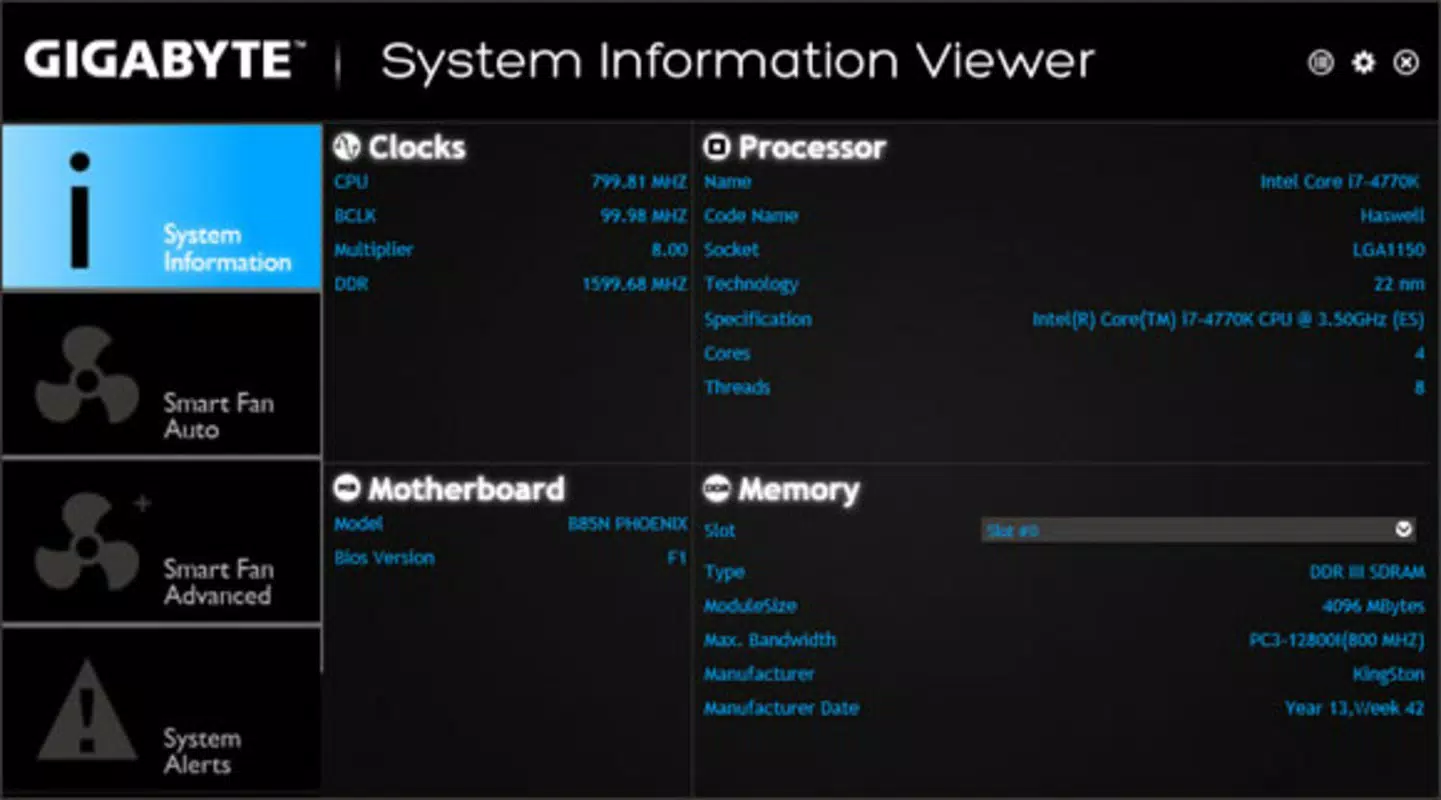
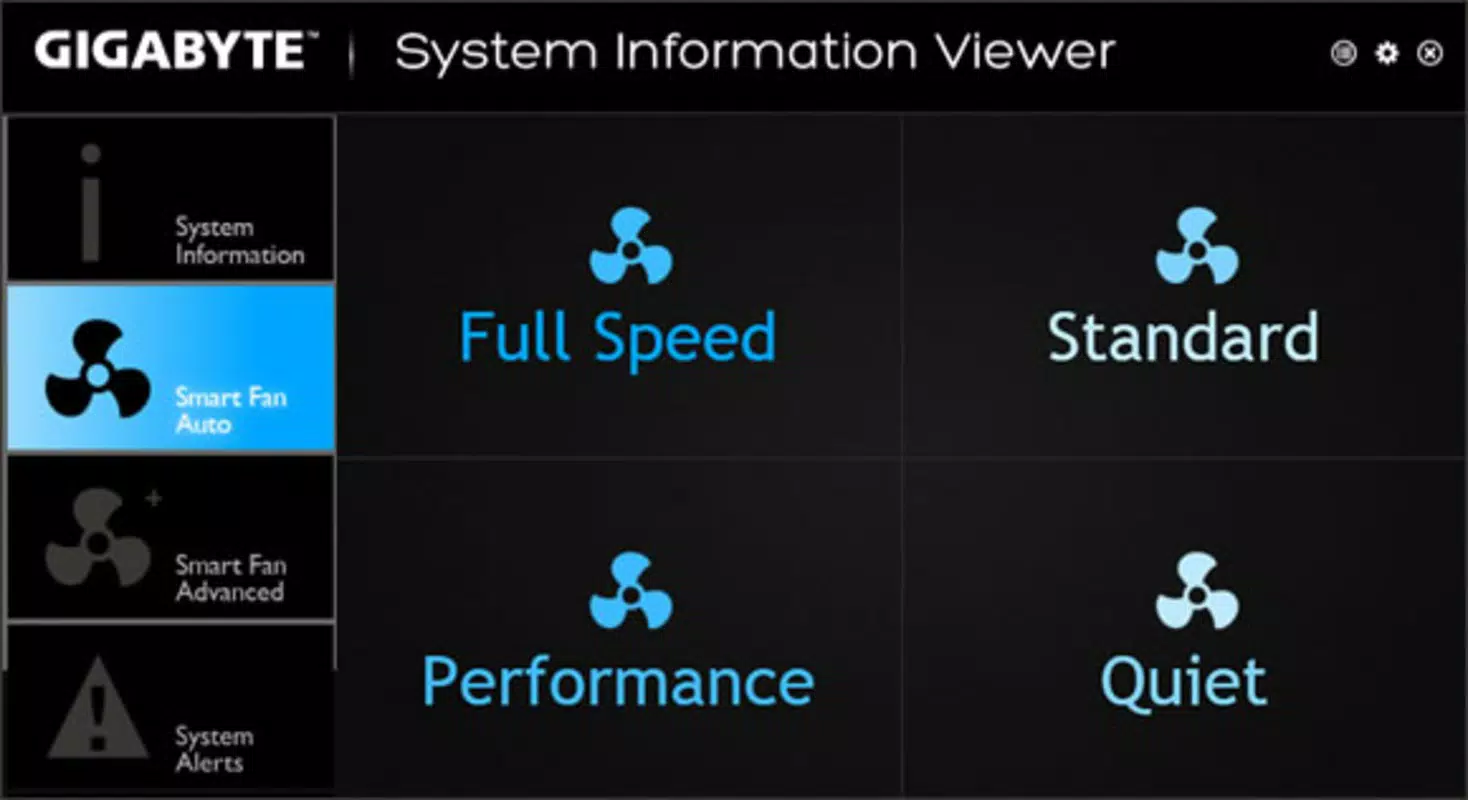
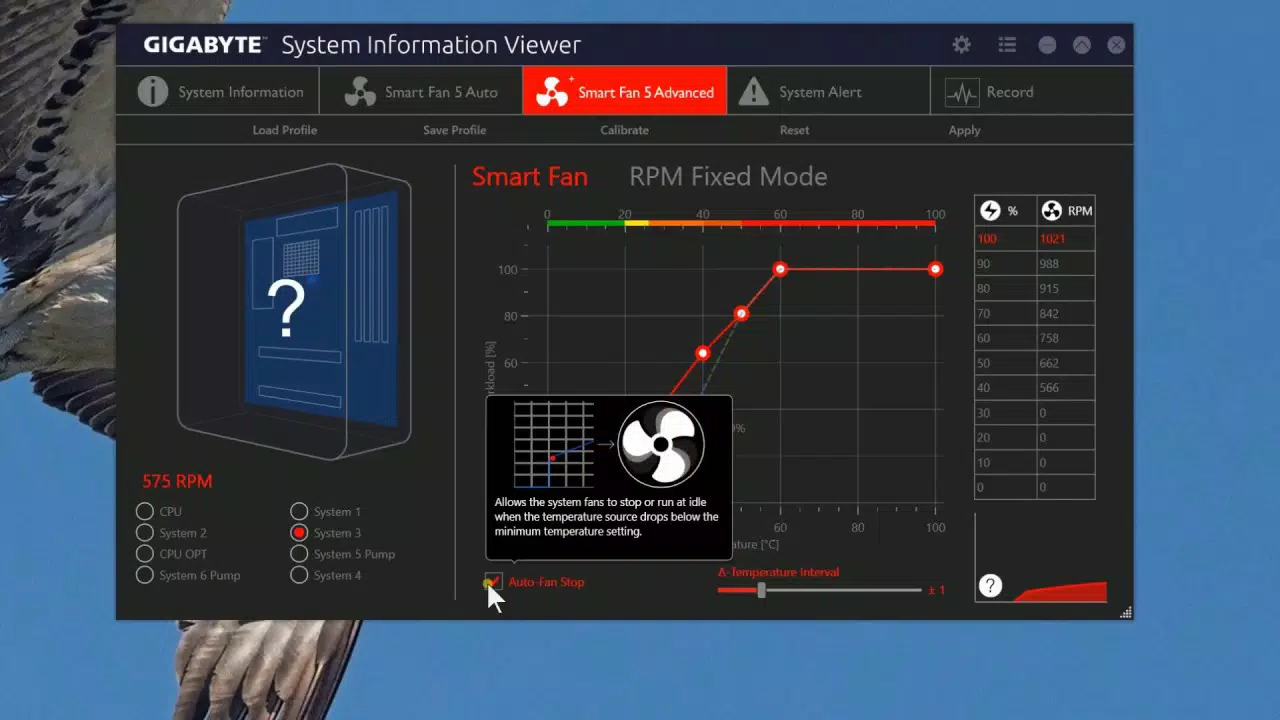
The user interface of Gigabyte System Information Viewer is designed around simplicity and clarity, leveraging the EasyTune™ framework to present system data and control options in an accessible format. Navigation is linear and intuitive, with clearly labeled sections for clocks, voltages, and performance profiles. Visual indicators help users track changes in real time, supporting informed decision-making during tuning sessions. The layout avoids clutter, focusing on essential metrics and controls, which contributes to a smooth user experience. Although the developer did not list formal performance metrics, the application’s lightweight size of 12.5 MB suggests efficient resource usage. It is expected to operate smoothly on mid-to-high-end Windows systems, though performance on lower-end devices may vary due to unspecified hardware requirements. Responsiveness is likely to be strong during active tuning sessions, as the tool is designed for real-time interaction. Stability appears to be a priority, given the inclusion of automated safety features like Smart Quick Boost. However, specific details on crash rates, background processes, or memory footprint were not disclosed. Users should be aware that performance adjustments carry inherent risks, and the app does not include built-in rollback mechanisms. Overall, the UX emphasizes usability and control, making it suitable for both learning and advanced use.Platform Compatibility & Technical Requirements
Gigabyte System Information Viewer is designed for the Windows platform and is available as a standalone utility. The current version is 1.0.0.1, with a file size of 12.5 MB. It is offered at no cost, making it accessible to a broad user base. The developer did not specify minimum OS requirements, such as Windows 10 or Windows 11 compatibility, nor did they list supported processor architectures or RAM thresholds. Compatibility information was not fully disclosed, so users should exercise caution when installing on older or non-standard Windows configurations. The app is intended for desktop use and does not appear to be optimized for mobile or tablet environments. Given its size and function, it is likely compatible with 64-bit Windows systems, but this was not confirmed. Users are advised to verify system compatibility before installation, especially in enterprise or legacy environments.Pros and Cons
- Intuitive EasyTune™ interface suitable for beginners and experts.
- Supports fine-tuning of system and memory clocks for performance gains.
- Smart Quick Boost enables one-click overclocking for instant performance boost.
- Designed specifically for Windows, ensuring seamless integration.
- Free to download and use, enhancing accessibility.
- Specific hardware or OS compatibility details were not provided.
- No information on rollback or recovery features for failed overclocks.
- Developer did not disclose supported motherboard or CPU models.
- Not available on mobile platforms or non-Windows operating systems.
- Performance on low-end systems remains unverified.
FAQ
Is Gigabyte System Information Viewer safe to use?
The application is developed by Gigabyte Technology Co., Ltd., a reputable hardware manufacturer. While the tool allows for system-level changes, it includes automated safeguards like Smart Quick Boost to reduce the risk of instability. Users are advised to proceed with caution when adjusting voltages or clocks.
Can I use this app on older versions of Windows?
The developer did not specify minimum OS requirements. While the app may function on older Windows versions, compatibility is not guaranteed. Users should check their system specifications before installation.
Is the app free to download?
Yes, Gigabyte System Information Viewer is available at no cost. There are no in-app purchases or subscription models reported.
Does the app support non-Gigabyte motherboards?
While the app is designed for Gigabyte hardware, the developer did not confirm support for third-party motherboards. It is recommended to use the software only with compatible Gigabyte systems.
How often should I update the app?
Updates are released by the developer to improve compatibility and stability. Users should check for updates periodically, especially after major Windows updates or when new motherboard firmware is released.


